


Go back to Blog


Jennifer Edidiong
Marketing
9 min read
Share to
BVN & NIN Verification API: How to Integrate in Under 30 Minutes
Every time a user drops off your onboarding flow, your business loses potential revenue. In Nigeria’s competitive fintech space, a KYC process that takes too long doesn’t just frustrate users; it stops them from ever reaching your core product.
The platforms growing fastest today aren’t just winning because of better design or bigger marketing budgets. They’re winning because their infrastructure is fast, compliant, and nearly invisible to the user. That’s where a reliable BVN verification API in Nigeria becomes essential.
That’s exactly what Dojah’s BVN and NIN verification APIs are built for. In this guide, you’ll learn how to integrate both from scratch in under 30 minutes. We’ll walk through the sandbox setup, the API calls, and how to build a simple verification flow your team can confidently take to production.
Why Dojah for BVN and NIN Verification?
There are a few verification providers in Nigeria. Here's what actually separates Dojah from the pack:
| Dojah | Others | |
| Response time | ~800ms average | 2 to 5 seconds |
| Sandbox environment | Full sandbox, zero charges | Limited or none |
| Support | Developer-first, same-day response | Ticket queues |
| Compliance coverage | Fully compliant | Partial |
You're not just buying API calls. You're buying compliance infrastructure that scales with your business.
What Are BVN and NIN APIs Actually Used For?
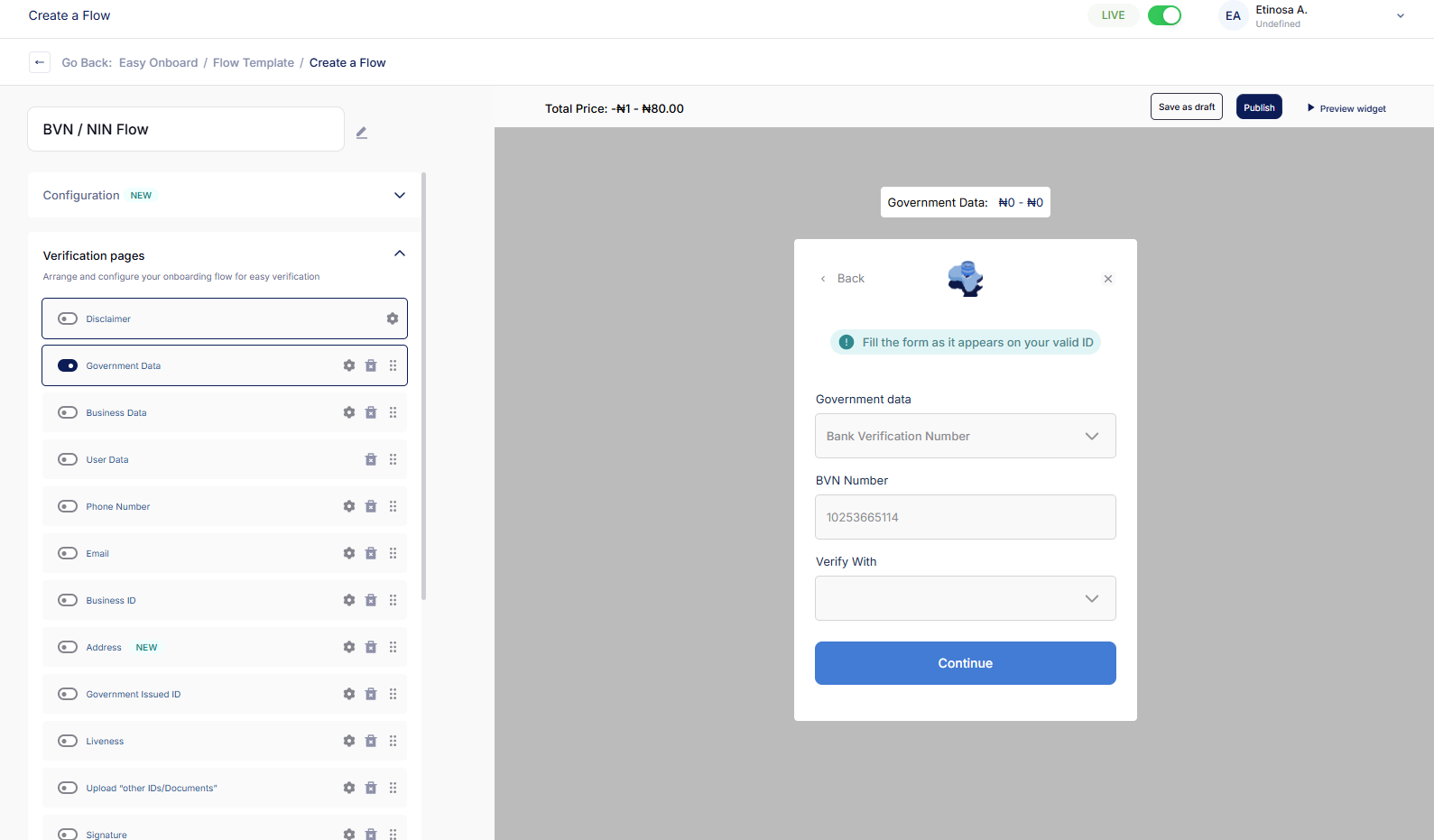
Before integrating any verification system, it helps to understand what these APIs actually do and why they matter for your product.
BVN (Bank Verification Number)
The BVN verification API in Nigeria allows fintechs and financial platforms to confirm that a user’s identity matches the information stored in Nigeria’s banking system. Beyond CBN compliance, it's your first line of defense against account-takeover fraud, synthetic-identity attacks, and money-mule networks.
When you verify a BVN, you’re demonstrating to users and regulators that security and compliance come first
For platforms that handle payments, lending, wallets, or banking services, BVN verification is often a key part of onboarding.
NIN (National Identification Number)
The NIN verification API connects your platform to Nigeria’s national identity database managed by the National Identity Management Commission (NIMC).
As NIN adoption grows across the country, many industries now use it for identity checks during onboarding. Businesses in non-finance sectors such as logistics, healthcare, e-commerce, and the gig economy rely on NIN verification to confirm user identities.
Dojah supports both standard NIN and vNIN, the more privacy-focused virtual variant, with photo retrieval directly from the government database.
By using these APIs together, you're building a verification stack that covers practically every user scenario you'll encounter in the Nigerian market.
Step 1: Get Your API Keys from the Dashboard
Before anything else, you’ll need your credentials to get started.
- Log in to your Dojah Dashboard.
- In the left-hand sidebar, navigate to Developers > Configuration.
- Click on the My Apps tab.
- If you don’t have an app yet, click Create App, give it a name like “My KYC Service”, and save it.
- Your App ID and Secret Key will now be visible.
A quick but important note: never put your Secret Key in the front-end code. It belongs on your server only—think of it like a database password.
For a full explanation of authentication, including public vs private keys and request headers, check the API Keys and Authentication guide.
Step 2: Understand the Two Environments
Sandbox is your testing ground. You can fire as many requests as you want without spending a kobo. Use the base URL:
https://sandbox.dojah.io
Live is the real deal. It hits actual government databases and deducts from your Dojah wallet. Use the base URL:
https://api.dojah.io
For sandbox testing, use these credentials:
- BVN: — 22222222222
- NIN: 70123456789
Pro tip: spend the first 15 minutes entirely in the sandbox. Test every scenario and edge case before moving to live.
Step 3: Verify BVN with the BVN API
This is the call that runs in the background every time a new user signs up on your platform. A single request returns first name, last name, date of birth, phone number, and a photo. That's everything you need to auto-populate a KYC record and significantly cut down on manual review.
The Endpoint: Lookup BVN
GET /api/v1/kyc/bvn
Testing in Postman
Create a new GET request with the following setup:
URL:
https://sandbox.dojah.io/api/v1/kyc/bvn?bvn=22222222222
Headers:
AppId: YOUR_APP_ID
Authorization: YOUR_SECRET_KEY
Sample Response
If everything is set up correctly, you'll get back a clean JSON response like this:
{
"entity": {
"first_name": "JOHN",
"last_name": "DOE",
"dob": "1990-01-01",
"phone_number": "08012345678",
"image": "BASE64_STRING_OF_USER_PHOTO"
}
}
Node.js Integration
Here's how this looks inside your actual project using Axios:
const axios = require('axios');
const verifyBVN = async (userBVN) => {
const options = {
method: 'GET',
url: 'https://api.dojah.io/api/v1/kyc/bvn',
params: { bvn: userBVN },
headers: {
AppId: 'YOUR_APP_ID',
Authorization: 'YOUR_SECRET_KEY'
}
};
try {
const response = await axios.request(options);
return response.data.entity;
} catch (error) {
console.error('BVN Verification Failed:', error.response.data);
}
};
Notice that the credentials are pulled from environment variables, not hardcoded. That's not optional — it's a baseline security practice.
Step 4: Verify NIN with the NIN API
NIN verification works almost identically to BVN, but the response structure is slightly different and the use cases are broader. If you're building for audiences outside of traditional finance, this is the endpoint you'll rely on most.
The Endpoint
GET /api/v1/kyc/vnin
Testing in Postman
URL:
https://sandbox.dojah.io/api/v1/kyc/vnin?vnin=AB012345678910YZ
Headers:
AppId: YOUR_APP_ID
Authorization: YOUR_SECRET_KEY
Sample Response
json
{
"entity": {
"firstname": "JANE",
"surname": "SMITH",
"gender": "F",
"mobile": "07098765432",
"vnin": "AB012345678910YZ"
}
}
Python Integration
For the Python developers in the room:
import requests
import os
def verify_nin(nin_code):
url = "https://api.dojah.io/api/v1/kyc/nin"
headers = {
"AppId": os.environ.get("DOJAH_APP_ID"),
"Authorization": os.environ.get("DOJAH_SECRET_KEY")
}
params = {"nin": nin_code}
response = requests.get(url, headers=headers, params=params)
return response.json()
If you need a more detailed profile — birth state, LGA, tax ID, spoken languages, residential address — Dojah also offers the NIN Advanced endpoint at /api/v1/kyc/nin/advance. Same setup, significantly more data returned.
Step 5: Monitor Everything from the Dashboard
One of the best things about Dojah is how much visibility it gives you into your API calls.
- API Logs: Find them under Logs > API Logs. Every request, status code, and timestamp is recorded. When something breaks at 2 a.m., this is where your on-call developer will debug quickly.
- Verification Results: If you’re using EasyOnboard, check EasyOnboard > Verifications. You’ll see user data and photos in a clean, readable format; no need to parse raw JSON.
Most production platforms see a sub-2% error rate on BVN and NIN calls. If you're consistently seeing higher, reach out to the Dojah support team. More often than not, it's a data quality issue that's straightforward to fix.
Common Errors and What They Actually Mean
Even on a well-integrated platform, errors happen. Here's a quick reference so your team isn't guessing:
| Error Code | What It Means | What To Do |
| 400 Bad Request | Usually, a typo in your parameter | Check the BVN length (11 digits) or vNIN format |
| 401 Unauthorized | Your credentials don't match the environment | Confirm you're not using sandbox keys on the live URL |
| 402 Payment Required | Your Dojah wallet is empty | Head to the Billings section and top up |
| 404 Not Found | The BVN or NIN doesn't exist in the government database | The user may have entered incorrect details |
| 424 Failed Dependency | NIMC or NIBSS is temporarily down | This is rare but outside Dojah's control. Retry after a few minutes |
A Few Tips Before You Go Live
- Use webhooks: Instead of building your entire flow around synchronous API responses, set up webhooks to get real-time updates when a verification is processed. It's more reliable and easier to scale. You can configure this directly from your dashboard. Here's the Webhooks setup guide.
- Handle the photo properly: The BVN and NIN APIs return the user's photo as a Base64 string. You can convert it into a displayable image for your admin dashboard or your compliance team's review queue. Don't just discard it.
- Store credentials in environment variables: Never hardcode your App ID or Secret Key directly in your codebase. Use environment variables and a secrets manager if you're operating at scale. The Authentication guide covers this in more detail.
What to Build After Basic Verification
BVN and NIN lookup is the foundation. Here's what most Dojah customers layer on once the basics are running:
| What You Want to Do | Dojah Product | Why It Matters |
| Confirm the person is physically present | Selfie Verification | Prevents photo spoofing and deepfake attacks |
| Confirm where a user lives | Address Verification API | Reduces delivery fraud, strengthens credit models |
| Skip building a KYC UI from scratch | EasyOnboard Widget | Drop-in onboarding flow, no custom frontend needed |
| Monitor transactions for suspicious activity | AML Screening | Flag bad actors before regulators do |
| Verify vendors and business partners | CAC Lookup API | Essential for B2B platforms and lending products |
Most Dojah users go from basic verification to a full KYC and AML stack in under two weeks. The APIs are designed to work together, so the more you layer on, the less engineering work each addition actually takes.
Ready to Build Your BVN/NIN Workflow?
You now have everything you need to go from zero to a fully working BVN and NIN verification flow. The sandbox is free, the Dojah documentation is thorough, and integration is genuinely as fast as this guide shows.
Here’s how to get moving:
- Create your free Dojah account if you haven’t yet; it only takes a couple of minutes.
- Grab your App ID and Secret Key from the dashboard.
- Make your first sandbox call using the test credentials in this guide.
- Go live without sales calls or lengthy approvals.
Want a live walkthrough, guidance on best practices, or help fine-tuning your flow? Book a demo with our team and see how Dojah makes identity verification effortless for your users.
Already have an account? Jump straight to the API docs and start building today.
Start using Dojah for all your business needs


